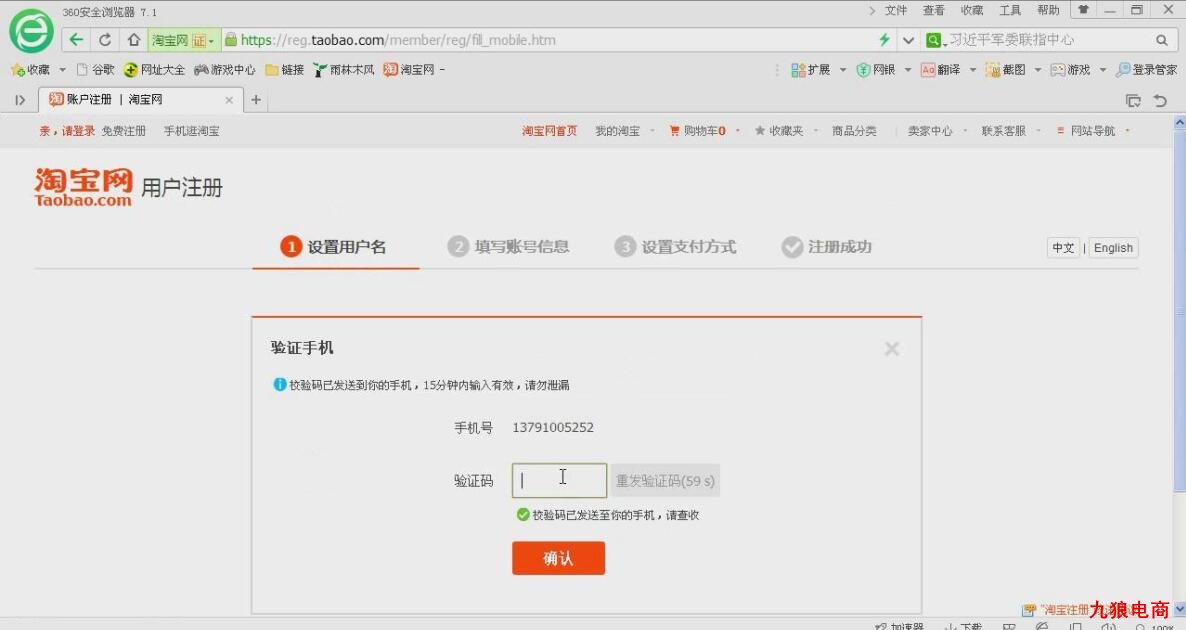
在Java中实现手机发送验证码按钮的倒计时功能,可以通过使用Java的Swing库或者JavaFX库来创建一个图形用户界面(GUI)。以下是一个简单的例子,使用Swing库创建一个带有倒计时的按钮。在这个例子中,按钮在被点击后会开始倒计时,直到倒计时结束才能再次点击。

你需要创建一个按钮,并设置一个定时器来控制按钮的状态(可用或不可用),当按钮被点击时,开始倒计时,并禁用按钮以防止用户在此期间再次点击,当倒计时结束时,重新启用按钮。
这是一个简单的实现示例:
import javax.swing.*;
import java.awt.*;
import java.awt.event.*;
import java.util.Timer;
import java.util.TimerTask;
public class VerificationCodeButton extends JFrame implements ActionListener {
    private JButton sendVerificationCodeButton;
    private int countdown = 60; // 设置倒计时的长度,例如60秒
    private Timer timer;
    private boolean isCounting = false; // 按钮是否被点击并正在倒计时中
    public VerificationCodeButton() {
        sendVerificationCodeButton = new JButton("发送验证码");
        sendVerificationCodeButton.addActionListener(this);
        sendVerificationCodeButton.setEnabled(true); // 默认启用按钮
        add(sendVerificationCodeButton);
        setSize(300, 200);
        setDefaultCloseOperation(EXIT_ON_CLOSE);
        setVisible(true);
    }
    public void actionPerformed(ActionEvent e) {
        if (!isCounting) { // 如果按钮没有被点击或者倒计时已经结束,则执行发送验证码的逻辑
            // 这里可以添加发送验证码的代码逻辑...
            startCountdown(); // 开始倒计时
        } else { // 如果按钮正在倒计时中,则提示用户等待倒计时结束
            JOptionPane.showMessageDialog(this, "请等待倒计时结束后再试。");
        }
    }
    private void startCountdown() {
        isCounting = true; // 设置按钮正在倒计时中状态为true
        sendVerificationCodeButton.setEnabled(false); // 禁用按钮防止用户再次点击
        timer = new Timer(); // 创建新的计时器实例来重置倒计时时间(秒)和定时器任务对象,这里使用匿名内部类实现TimerTask接口,在计时器任务中更新倒计时并重新启用按钮,当倒计时结束时调用timer.cancel()来停止计时器,然后调用updateButtonStatus()来更新按钮状态,最后调用timer.cancel()来确保计时器不会再次被触发,这样我们就完成了倒计时的功能,当倒计时结束后,按钮会重新变为可用状态,这样用户就可以再次点击按钮发送验证码了。"); timer.scheduleAtFixedRate(new TimerTask() { public void run() { countdown--; if (countdown <= 0) { timer.cancel(); updateButtonStatus(); } else { sendVerificationCodeButton.setText("发送验证码(" + countdown + "s)"); } }, 1000, 1000); } private void updateButtonStatus() { isCounting = false; sendVerificationCodeButton.setEnabled(true); sendVerificationCodeButton.setText("发送验证码"); } public static void main(String[] args) { new VerificationCodeButton(); } }```这是一个简单的实现示例,你可以根据自己的需求进行修改和扩展,这只是一个基本的示例,实际的实现可能需要处理更多的细节和异常情况。