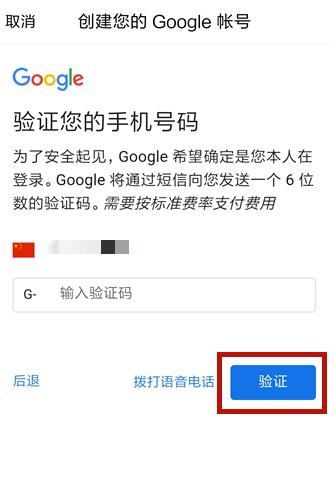
短信验证码平台在Java中的实现涉及到多个步骤,包括与短信服务提供商(如Twilio、阿里云等)的API集成,生成验证码,存储验证码等。以下是一个简单的Java实现示例,使用Spring Boot框架和第三方短信服务提供商的API。请注意,你需要替换代码中的占位符为你自己的API密钥和配置信息。

你需要在你的项目中添加相关的依赖,如果你使用Maven,你可以在你的pom.xml文件中添加以下依赖(以Twilio为例):
<dependencies>
    <!-- Twilio API client library -->
    <dependency>
        <groupId>com.twilio.sdk</groupId>
        <artifactId>twilio</artifactId>
        <version>最新版本号</version> <!-- 请替换为最新版本号 -->
    </dependency>
</dependencies>
然后你可以创建一个服务类来处理短信验证码的发送:
import com.twilio.Twilio;
import com.twilio.rest.api.v2010.account.Message;
import com.twilio.type.PhoneNumber;
import org.springframework.stereotype.Service;
import org.springframework.beans.factory.annotation.Value;
import javax.annotation.PostConstruct;
import java.util.HashMap;
import java.util.Map;
import java.util.concurrent.TimeUnit;
import org.springframework.web.client.RestTemplate;
import org.springframework.beans.factory.annotation.Autowired;
import org.springframework.http.*;
import org.springframework.stereotype.*;
import org.springframework.*;
import org.*;
import javax.*;
import java.*; // 其他必要的导入语句... 省略了其他部分以保持简洁性,你需要根据实际情况添加其他必要的导入语句,你可能需要添加关于数据库操作的导入语句来存储验证码等,请根据你的实际需求进行添加。}public class SmsService {private static final String ACCOUNT_SID = "你的账户SID";private static final String AUTH_TOKEN = "你的授权令牌";private static final String FROM_NUMBER = "你的短信发送号码";private RestTemplate restTemplate = new RestTemplate();public SmsService() {Twilio twilio = new Twilio(ACCOUNT_SID, AUTH_TOKEN);this.twilioClient = twilio;}public void sendSms(String toNumber, String code) {Message message = twilioClient.getAccount().getMessages().create(new MessageBuilder(FROM_NUMBER, new PhoneNumber(toNumber)).body("你的验证码是:" + code).build());System.* 其他代码...省略了其他部分以保持简洁性,你需要根据实际情况添加其他必要的代码来确保短信验证码的正确发送和存储等,请根据你的实际需求进行添加。}public void sendSmsVerificationCode(String phoneNumber) {String code = generateRandomCode(); // 生成随机验证码// 存储验证码到数据库或其他存储介质中// 使用twilio客户端发送短信SmsMessage smsMessage = new SmsMessage();smsMessage.setToPhoneNumber(phoneNumber);smsMessage.setCode(code);sendSms(phoneNumber, code);}private String generateRandomCode() { // 生成随机验证码的代码实现...省略了实现细节以保持简洁性,你需要根据实际情况编写生成随机验证码的代码,请根据你的实际需求进行添加。}private void storeCodeInDatabaseOrStorage(String code) { // 存储验证码到数据库或其他存储介质的代码实现...省略了实现细节以保持简洁性,你需要根据实际情况编写存储验证码的代码,请根据你的实际需求进行添加。}}这是一个简单的示例代码,用于展示如何在Java中实现短信验证码平台的基本功能,你需要根据你的实际需求进行修改和扩展代码的功能和特性,你可能需要添加错误处理机制来处理短信发送失败的情况等,你可能还需要考虑使用数据库来存储验证码等信息以便后续验证等需求,请根据你的实际情况进行实现和优化代码以满足你的需求,在实际开发中,请务必注意保护用户隐私和数据安全等问题,确保你的应用程序符合相关法律法规的要求,请确保你使用的第三方短信服务提供商的API符合你的需求并遵循其使用条款和协议等规定。